
TL;DR Prompt libraries feel organized but go stale fast. Most tracking tools make it worse by measuring word coverage instead of real user intent. This post breaks down why libraries fail, why your current metrics are misleading, and how a simple framework of Primary and Secondary Canonical Prompts gives you a much sharper signal with a fraction of the clutter.
We had a prompt library. We were proud of it.
It was tagged by department, labeled by use case, and boasted over 200 entries after three months. We called it our “AI knowledge base.” Six months later, nobody was using it. The library filled up fast and then quietly died. There was no dramatic decision to stop using it. People just silently went back to writing prompts from scratch.
Here’s why that keeps happening, and what to do instead. (A practitioner’s take on the visibility problem nobody talks about.)
Why Prompt Libraries Fail: They Store Prompts Instead of Intent
Most teams treat prompts like documents. They collect them, store them, and try to retrieve them later. But a prompt isn’t a document. It’s a behavioral signal and evidence of what someone was trying to do. When you only store the raw text, you capture the surface and lose the meaning.
This is the same mistake companies made with wikis in the 2000s. The wiki became a museum, while actual knowledge stayed in people’s heads. Prompt libraries do the exact same thing, just faster.
Why the Library Goes Stale
- Context disappears the moment you save: A prompt only works inside a specific context, such as a model version, a temperature setting, or a precise workflow stage. Nobody saves that metadata. Six weeks later, a colleague tries the prompt, gets a different result, assumes it’s broken, and writes their own. It’s like finding a formula in a spreadsheet with half the inputs deleted.
- The model changes, the library doesn’t: The model version you used in Q1 is not the same one you’re using in Q3. Quiet API updates change how a model handles tone, formatting, and edge cases. A prompt that worked in January can easily degrade by July. Nothing in a static library flags this drift.
- The same need gets saved 40 different ways: Because nobody can find what’s already there, everyone saves their own slight variations. You end up with dozens of versions of the exact same question, with no indication of which one is actually the best. The library grows, but utility plummets.
Why Prompt Coverage Is the Wrong Metric
Many teams reach for prompt tracking tools that run test queries against their library and return a coverage number.
“You have 87% coverage across your support prompts.”
The number feels authoritative. It usually isn’t. These tools borrow the old keyword analytics playbook, but prompts don’t behave like stable keywords. Two people asking for the exact same thing will phrase their prompts completely differently. Furthermore, because AI outputs are probabilistic, the same prompt can return a strong result one day and a weak one the next.
Coverage tells you what’s in your library. It doesn’t tell you whether you’re measuring the right buyer’s intentions. Teams see high coverage and stop investigating. The metric substitutes for actual thinking.
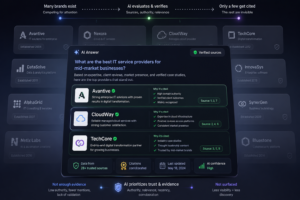
Modern AI visibility tracking systems that measure intent accuracy instead of keyword coverage
Example: Tracking Buyer Intent for a PDF SDK
To see why tracking every raw prompt fails, let’s look at a real-world scenario. Imagine your company sells a developer tool, like a commercial PDF SDK, and you want to track what top-of-funnel (TOFU) buyers are asking AI models when they start researching solutions.
If you don’t have a clear strategy, a basic tracking tool might scrape and hand you a messy library of 100 plus entries:
- “How to choose a commercial PDF SDK”
- “Should I build a PDF viewer or buy an SDK”
- “Which PDF SDK is best for a React app”
- “What security features should I look for in a PDF SDK”
- “Free open source PDF libraries vs paid tools”
A legacy tracking tool reports massive data coverage. But in reality, this is just a single core buyer intent repeated across different angles. It is not 100 signals. It is one core strategy buried in noise.
Intent is Your Strategy. Canonical Prompts Are What You Track.
This is the operational distinction most teams miss:
- Intent is what a buyer is trying to figure out. It is your strategy layer. It belongs in a product document or a cluster map. You never track intent directly.
- The Canonical Prompt is what you actually put in your tracking tool.
Relying on just one magic phrase per intent is a romantic ideal, but it leaves massive blind spots. Instead, borrow a page from the SEO playbook and use a Primary and Secondary Canonical Prompt framework.
- A Primary Canonical Prompt is the single benchmark question that best represents a buyer intent. It gives you a consistent baseline for measuring how AI models respond over time.
- Secondary Canonical Prompts are additional benchmark questions that capture important variations of that same intent, such as a specific industry, technical requirement, or enterprise edge case. They aren’t new intents, they’re strategic variations worth tracking independently.
For every intent, define one Primary Canonical Prompt as your core baseline benchmark. Then, add one or two Secondary Prompts only if you need to test distinct technical angles or critical enterprise edge cases.
By separating the two, your tracking matrix shrinks from a chaotic library of hundreds to a clean, highly strategic map of your target buyers:
Intent: Evaluate Build vs. Buy for PDF Functionality
- The Buyer Context: A product manager or software architect needs to add advanced document viewing to their application. They are deciding if they should code it from scratch using free open-source tools or pay for a premium commercial SDK.
| Funnel Stage | Intent (The Strategy) | Tracking Type | Canonical Prompt (What You Track) |
| TOFU | Evaluate Build vs. Buy | Primary | “What are the pros and cons of building a custom PDF viewer versus buying a commercial PDF SDK for an enterprise web application?” |
| Secondary | “We need to render massive PDFs and MS Office files in a React app. Should we use open-source libraries or a paid SDK like XYZ?” | ||
| Secondary | “What are the risks of using open-source PDF parsing tools for processing millions of financial documents on-premises?” | ||
| MOFU | Feature & Compliance Deep Dive | Primary | “What features and security compliance certificates does a PDF SDK need for US banking regulations?” |
| Secondary | “What features does a commercial PDF SDK need to maintain strict GDPR compliance for European users?” | ||
| BOFU | Pricing & Vendor Comparison | Primary | “How do enterprise PDF SDK contracts typically work regarding volume, deployment, and site licensing?” |
| Secondary | “Which commercial PDF SDK would you recommend for large-scale enterprise document processing, and how does XYZ compare to its top competitors?” |
- If you only tracked the Primary prompt, you might see that the AI recommends commercial SDKs in general, which is a partial win. But by tracking the two targeted Secondary prompts, you find out if the AI knows exactly why your product, XYZ, wins on specific frameworks and enterprise security.
You get deep, actionable market insight using exactly three prompts instead of a massive library.
From Prompt Library to Tracking System
Mine existing prompts as raw data: Don’t reorganize your current library. Don’t clean it up. Treat it like a user behavior log and read it for patterns. The mess is the signal.
Cluster by meaning, not words: Two prompts phrased completely differently can be the same intent. “How much does a PDF SDK cost” and “what’s the pricing model for PDF SDK vendors” belong in the same cluster. If you cluster by keywords you’ll split one intent into ten fragments and miss the pattern entirely.
Name the intent, not the topic: For each cluster, write one sentence describing what the buyer is actually trying to decide — not what category the prompts fall under. “Buyer is evaluating build vs buy for PDF functionality” is an intent. “PDF SDK pricing” is a filing label. One drives strategy. The other drives more filing.
Write primary and secondary canonical prompts per intent: Primary covers the core of that intent. Secondary covers meaningful variations — a specific industry, a technical constraint, an enterprise edge case. If two prompts would produce nearly identical answers, one is redundant. If they’d produce meaningfully different answers, both earn their place.
Track monthly and retire aggressively: Run your canonical prompts on a fixed cadence. When a prompt starts producing noticeably different results, that’s model drift — not a reason to save a new version alongside it. Retire it and write a better one. A canonical prompt that isn’t actively maintained is just a library entry with extra steps.
To Summarize
Most teams track too many prompts and understand too few. Intent is your strategy. It tells you what buyers are trying to figure out. It belongs in a strategy document, not clogged inside a tracking tool. Canonical prompts are what you actually measure. Use a tight primary and secondary structure to represent how that intent shows up in the real world. Run them regularly, monitor them closely, and retire them when they drift.
The goal isn’t a bigger library. It’s a sharper signal.
If you’re still managing a prompt library, the real question isn’t how many prompts you’ve collected — it’s whether you’re actually measuring intent correctly. Search Signal Lab helps teams move from static prompt libraries to structured AI visibility systems built around real buyer intent.