
Recently I was in an interview where I expected to be tested on AEO concepts: how answer engines choose sources, what makes content citable, how entities and structured data help. I was comfortable there. Most of the conversation went somewhere else, though: how would you automate this, what workflow would you build, which MCPs would you connect, and what data would you use and how?
That reframed the topic for me. Once a team understands the fundamentals, AEO stops being mainly a content problem. It becomes a data and operations problem. Knowing why a page should be cited matters less than knowing, across hundreds of pages and dozens of topics, which pages to fix first, and whether the fix actually worked.
This post covers how to build that system, starting with the underlying data and ending with a lightweight version you can set up this week.
TL;DR
- Once you understand AEO fundamentals, the hard part is operations: knowing which pages to fix first and whether the fix worked.
- Join Search Console, business data, AI visibility data and crawl data on one topic ID.
- Rank topics with a simple score: log10(impressions) × commercial weight × visibility gap.
- Use MCPs to pull data and draft tasks, but keep humans in charge of priorities and approvals.
- Start small: 20 topics, weekly sampling, a top-5 report to Slack.
The Workflow at a Glance
The system is a continuous loop rather than a static monthly report:
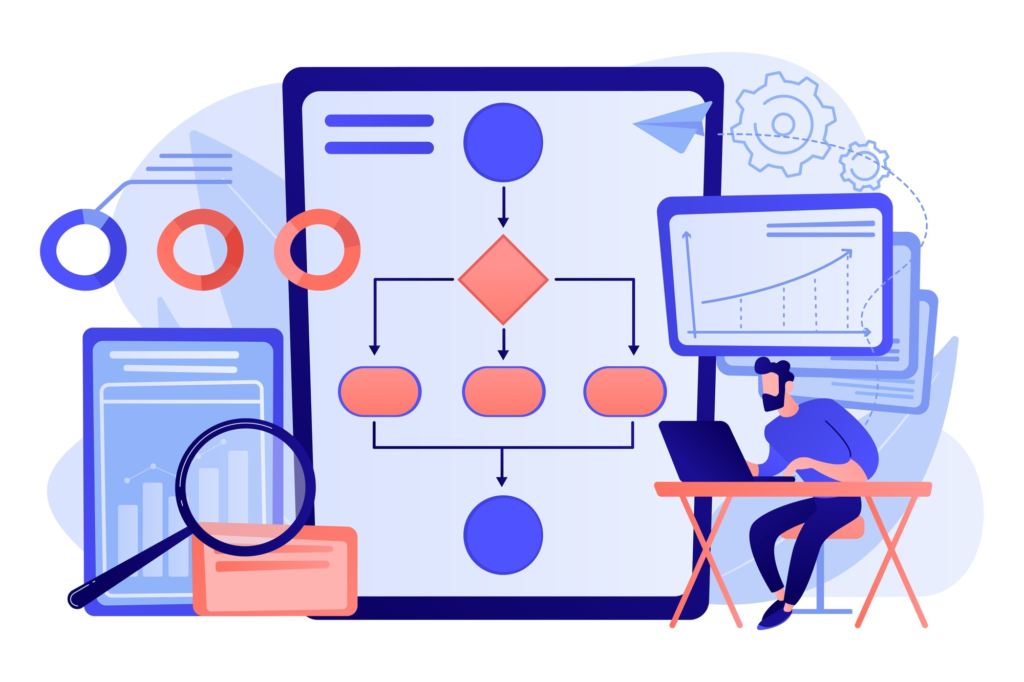
Collect → Join on topic ID → Score → Diagnose → Human sign-off → Publish and track → back to Collect
Each stage has a specific job, and the stages share a common key so data from one can be matched to another. Most “AEO automation” ideas fail at the joining step, not the AI step.
Start With the Question, Then the Data
The tempting question is “What can AI automate?” A more useful one is “Which decision do we need to make better?” For most teams, the decision is:
Which topics matter commercially but have weak visibility in AI answers, and what should we change first?
Answering that requires four kinds of data, each from a different source:
| Data layer | Purpose | Example sources |
|---|---|---|
| Demand and organic performance | Quantify search interest | Google Search Console (API or BigQuery export) |
| Business value | Measure commercial intent and revenue impact | GA4 conversions, CRM pipeline, sales call questions |
| AI visibility | Track brand mentions and cited sources | AI visibility platforms (Profound, Peec AI, Otterly, Semrush, Ahrefs) or your own fixed prompt set run through model APIs |
| Page and technical context | Evaluate content and site structure | Crawler (Screaming Frog or a custom script) for content, schema, internal links and last-updated dates |
None of these sources alone can tell you where to act. Search Console shows demand but not AI visibility. AI visibility tools show mentions but not commercial value. The workflow’s value comes from joining them.
How to Join the Data
The most important design decision is the topic structure, not the software stack. Queries, pages and AI prompts all describe the same underlying intent in different ways, so create a unified topic ID that ties them together:
- Queries → topic: Group Search Console queries by intent using clustering or an LLM classifier, then have a strategist confirm the clusters once.
- Topic → prompts: For each topic, write 3 to 5 realistic questions a buyer would ask an AI assistant. This is your tracked prompt set. Keep it fixed so results stay comparable over time.
- Topic → page: Map each topic to the URL that should own it, and use the URL as the key into crawl and analytics data. If no page exists, that gap is itself a finding.
- Topic → value: Assign a commercial weight from 0 to 1 based on how close the topic is to a purchase. Use CRM data where you have it and team judgment where you don’t.
Store all of this in one place. For a small team, a Google Sheet or Airtable works fine. For a larger one, use BigQuery or PostgreSQL. The storage tool matters less than having a single table where every row is a topic with its metrics attached.
Scoring: Where to Act First
Once the data is joined, a simple score ranks the opportunities:
Priority Score = log10(Impressions) × Commercial Weight × Visibility Gap
- Impressions: The topic’s total Search Console impressions over 28 days. The log keeps huge informational topics from swamping high-intent ones.
- Commercial weight: 0 to 1, based on business value.
- Visibility gap: 1 minus your mention rate across sampled AI answers. If your brand appears in 2 of 10 runs, the gap is 0.8.
Here is an illustrative example for a B2B compliance software company. The numbers are made up to show the logic.
| Topic | 28-day impressions | Commercial weight | AI mention rate | Visibility gap | Priority score |
|---|---|---|---|---|---|
| Best SOC 2 automation tools | 1,800 | 1.0 | 20% | 0.8 | 2.60 |
| SOC 2 vs ISO 27001 for startups | 600 | 0.8 | 10% | 0.9 | 2.00 |
| What is SOC 2 (shown for contrast) | 24,000 | 0.1 | 0% | 1.0 | 0.44 |
“What is SOC 2” has the highest demand and the largest visibility gap, but its low commercial weight puts it last. In practice, the inclusion rules in the next section would filter it out entirely. The comparison query, with roughly one-thirteenth of the traffic, ranks far higher because it sits next to a buying decision. A standard ranking report can’t make that call.
Operational Rules and Thresholds
“Weak visibility” is too vague for automation. A workflow needs rules it can evaluate. These are starting points to adjust to your own data:
- Inclusion: Evaluate a topic only if it has at least 300 impressions over 28 days and a commercial weight of 0.4 or higher.
- Sampling: Run each prompt at least 5 times per platform per week. Pool the runs across a topic’s 3 to 5 prompts (15 to 25 samples) and report mention rate as a percentage.
- Gap flag: Flag a topic when your mention rate is below 30% while a direct competitor appears in more than 50% of runs.
- Escalation: Escalate when the pooled mention rate drops 15 percentage points or more and stays down for two consecutive weeks. Pooling and persistence matter because a single run can move the rate by several points on its own, and you want to catch real shifts, not model variance.
Where MCPs Fit
Model Context Protocol (MCP) gives an AI model structured access to external systems. In this workflow, it is the layer that lets an assistant pull data and take actions without someone exporting CSVs by hand:
- Search Console and GA4: Pull queries, pages, impressions and conversion events on request.
- Database or warehouse: Read the topic table and write scoring results back to it.
- Crawler: Fetch current page HTML, schema markup and internal links.
- Slack, Jira, Asana or Notion: Post the weekly priority brief and turn approved recommendations into tickets.
- CMS: Create drafts in a staging environment, never publish directly.
Permissions note: Keep data sources (Search Console, Analytics, crawler) read-only. Writing to your own scoring table is low risk. Anything that changes something other people see or act on, such as CMS drafts, tickets or messages to a team channel, should sit behind explicit human confirmation. Many MCP servers are community-built, so check maintenance status and permissions before connecting one.
Connecting an MCP doesn’t create a workflow. You still have to decide what it retrieves, how it classifies a gap, and what needs sign-off.
The Diagnosis Step
When a topic is flagged, the system collects the sources AI answers cite and compares them with your page to find specific, fixable gaps:
- Missing topic angles: Criteria the cited sources cover that your page doesn’t, such as pricing, timelines or team-size considerations.
- Unsupported claims: Statements with no evidence, data or documentation behind them.
- Stale information: Outdated figures or an old last-updated date.
- Authority gaps: Thin presence on the review sites, directories or industry press that AI answers often cite for the topic.
- Weak internal linking: Too few links between the product page and supporting content.
The output should be a recommendation, not a finished article. For example: “Add a comparison matrix covering audit costs and timelines,” or “Link the pricing page to the SOC 2 implementation guide.” A model can produce these quickly. Whether they’re right is a human judgment.
Read More: From Search to AI: Why Content Strategy Needs a Rethink
What to Automate, Assist and Keep Human
| Tier | Responsibility | Examples |
|---|---|---|
| Automated | Code and APIs | Data collection, dataset joins, scheduled prompt sampling, change detection, anomaly flags, dashboard refreshes |
| AI-assisted | Model plus human review | Intent classification, topic clustering, citation analysis, gap diagnosis, drafting briefs |
| Human-led | Strategist or editor | Priorities, positioning, messaging, deciding which recommendations to implement, editorial approval, brand risk |
The human review step has to be concrete. A strategist receives a Slack message or ticket with the topic, its priority score, the diagnosed gaps and the proposed fixes. They approve, edit or reject. Only approved items move into the CMS workflow, and nothing publishes without that sign-off.
Limitations and Real-World Realities
- AI answers vary. The same prompt can return different results from run to run, so a single check tells you almost nothing. Use repeated sampling over a fixed prompt set and track rolling averages, not individual answers.
- Environments differ. Model API outputs often differ from what users see in the consumer apps, and results shift by platform, location and phrasing. Treat your numbers as a consistent benchmark, not ground truth.
- Attribution is weak. Referral traffic from answer engines captures only part of the impact, because many people see a brand mentioned and search for it later. Don’t promise a clean line from AI visibility to revenue.
- Data has lag. Search Console runs a couple of days behind, so design this as a weekly cycle, not real-time monitoring.
- Collection method matters. Scraping consumer chat interfaces can violate terms of service. Use official APIs or a vendor that handles collection.
- Cost and quality. Repeated sampling adds up in API costs, and messy topic mapping quietly corrupts everything downstream. Verify the clusters by hand before automating anything on top of them.
Your First Workflow This Week
You don’t need the full system on day one. Start with a lightweight manual pilot:
- Define 20 priority topics. List your 20 most commercially important topics in a spreadsheet and write 3 buyer prompts for each.
- Pull data and sample AI answers. Export 28 days of Search Console data and map queries to your topics. Run each prompt 5 times on two AI platforms, or use a visibility tool, and record whether your brand is mentioned and which sources are cited.
- Score and sort. Apply the priority formula and rank the topics.
- Deliver weekly briefs. Send the top five to Slack or email with a one-line suggested fix each, for human review.
- Repeat and track. Run it weekly and watch mention rate over time.
Once that report is useful, automate the data collection, then the scoring, then the diagnosis, and add MCPs and a CMS connection last. Each layer only helps if the one beneath it is reliable.
Summary
Strong AEO knowledge is the price of entry. What separates mature teams is whether they can see where they’re visible, where they aren’t, what to change, and whether the change worked, week after week.
The goal isn’t an autonomous agent that does SEO unattended. It’s a workflow that handles the repetitive data work so strategists can spend their time on judgment.
Book your strategy call now to understand your AI Visibility !